Managed Services vs Traditional IT Support: Which Is Better?
Most businesses do not choose a model of IT support. They inherit one. Someone knew a good engineer, the engineer came out when things broke, and fifteen years later that is still how it works. It is only when the business grows, or has a bad month, that the arrangement gets questioned.
This post compares the two models honestly: traditional break-fix support, where you pay for time when something goes wrong, and a managed service, where you pay a fixed fee for someone to keep things working. Both have a place, and we will be clear about where each one wins.
How Traditional IT Support Works
Traditional support, often called break-fix, is simple to understand. Something stops working. You ring your provider. They attend, remotely or in person, and you are billed for the hours.
Its genuine strengths are worth stating. There is no monthly commitment, so a quiet month costs nothing. You can use whoever you like for whatever job, and you are not locked into a contract. For a very small business with a handful of laptops and no server, it can be entirely sensible.
The weaknesses show up as you grow:
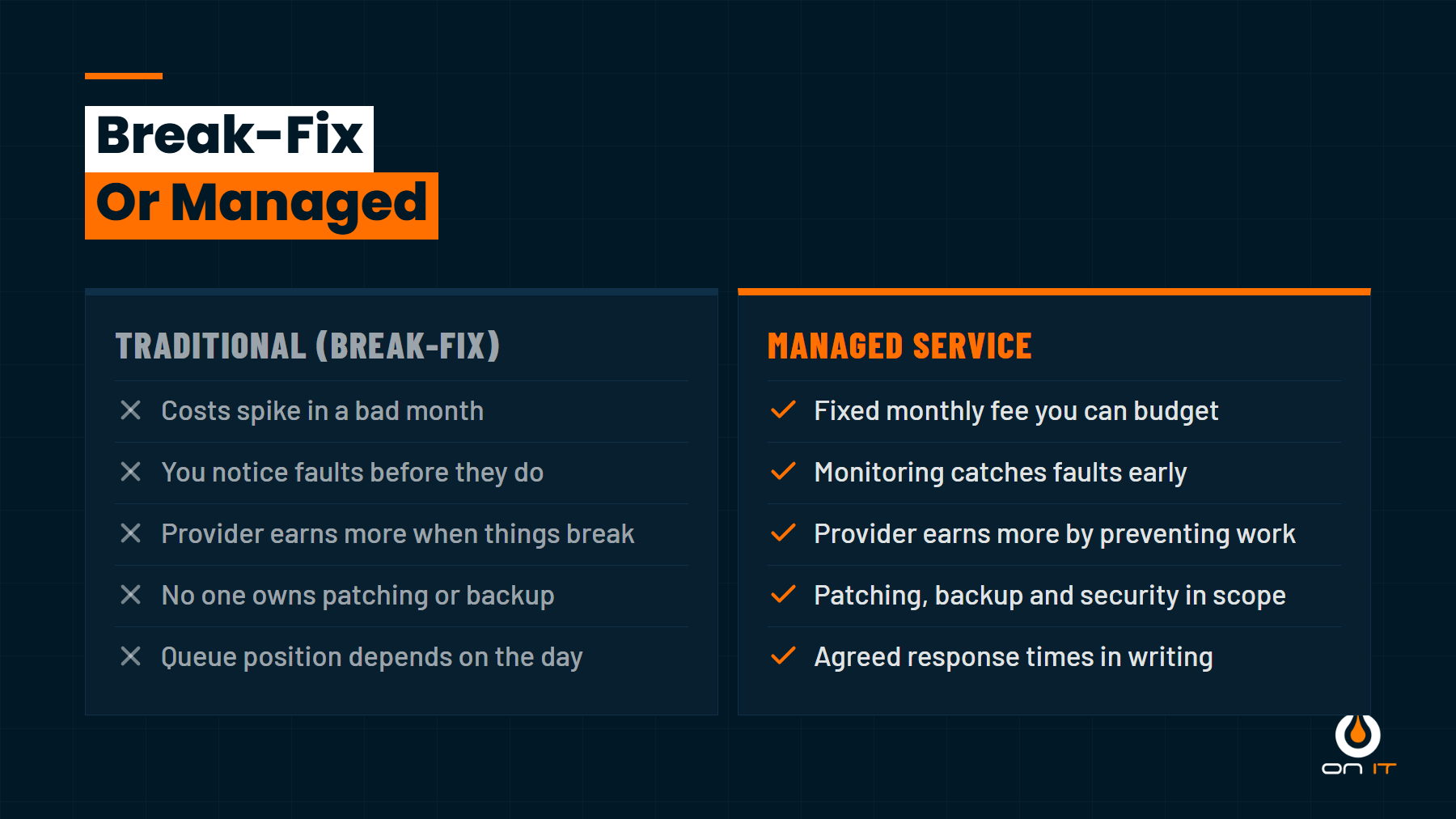
- Nobody owns prevention. Patching, backup checks and monitoring are not in anyone’s job description, because nobody is paid for them.
- Costs are unpredictable. A quiet quarter is cheap. The quarter the server fails is not.
- You are the monitoring system. Problems get noticed when a member of staff complains, which is usually well after they started.
- The incentives point the wrong way. A provider paid by the hour does better in a bad month than a good one. Most are perfectly honest about this, but the structure is not on your side.
- Response depends on their week. With no agreed response time, you join the queue behind whoever rang first.
How Managed Services Work
A managed service replaces the hourly bill with a fixed monthly fee, typically per user, and shifts the responsibility. The provider installs monitoring on your devices, takes over patching, runs a help desk your staff can contact directly, and takes ownership of security and backup.
The change that matters most is the incentive. Once a provider is paid the same whether you raise two tickets or forty, their interest is in you raising two. Preventing problems becomes the profitable thing to do.
The trade-offs are real too. You are paying every month, including the months when nothing goes wrong, and that can feel like paying for nothing. There is usually a contract term. You are also putting more of your estate in one provider’s hands, which makes choosing the right one matter more.
Cost: Predictable Against Variable
This is where the argument usually happens, so it is worth being precise.
Over a good year, break-fix is often cheaper. Over a bad year it is not even close. A single significant incident, such as a compromised mailbox used to send fake invoices or a server failure with no tested backup, can cost more in emergency labour and lost trading than a year of managed fees.
There is a second cost that rarely makes it onto an invoice: your own time. In a break-fix arrangement, someone in the business ends up coordinating IT. Chasing the engineer, deciding what is urgent, remembering which laptop is out of warranty. That is usually an owner or an operations manager doing unpaid, unqualified IT management. Managed support absorbs that job, and for many businesses it is the main reason they switch.
So the honest framing is not “managed is cheaper”. It is that managed converts an unpredictable and occasionally very large cost into a flat one, and takes a job off your desk.
Where Break-Fix Still Makes Sense
We would not recommend a managed contract to everyone. Break-fix is a reasonable choice if:
- You have fewer than about five people, all on modern laptops, running entirely in Microsoft 365
- There is no server, no complex network and no shared infrastructure
- Nobody is asking you security questions and you have no compliance obligations
- A day without IT would be inconvenient rather than expensive
- You already have someone technically capable in the business
The tipping point is usually somewhere around ten to fifteen staff, or the arrival of the first server, the first client security questionnaire, or the first incident that costs real money. If you have crossed any of those lines, break-fix starts to look like an uninsured risk.
Moving From Break-Fix to Managed
The switch is more involved than signing a contract, because a managed provider is taking on responsibility for an estate they did not build. Expect four phases.
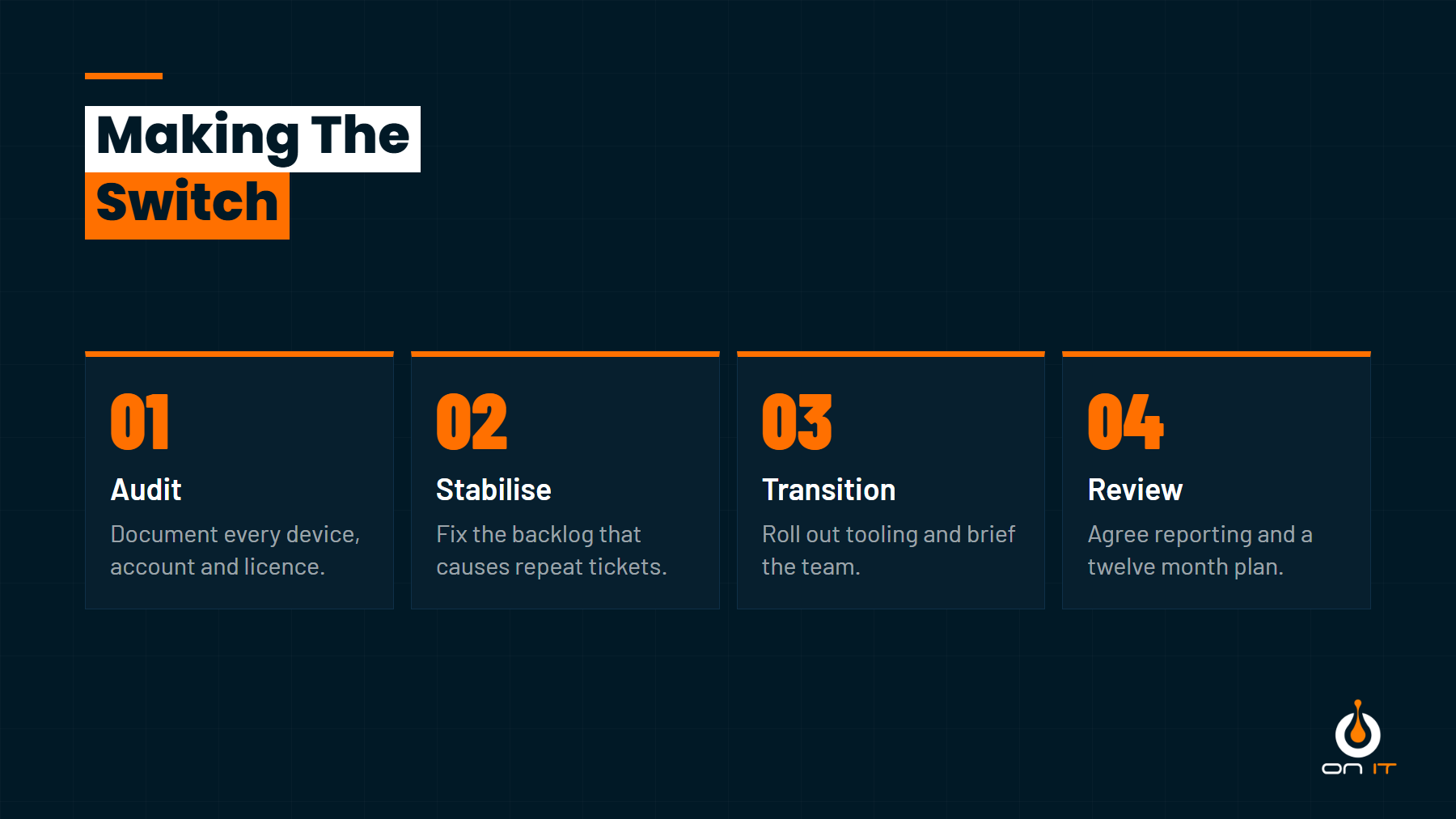
- Audit. Every device, account, licence, domain and backup gets documented. This nearly always turns up surprises: licences nobody uses, accounts for people who left, a backup that stopped running months ago.
- Stabilise. The backlog gets cleared first. Patching brought up to date, security basics switched on, failing hardware flagged. Skipping this makes the first three months painful for everyone.
- Transition. Monitoring and management tools are rolled out, staff are told how to raise tickets, and the old provider hands over access cleanly.
- Review. Reporting starts, and you agree a plan for the next twelve months covering hardware refresh, security improvements and anything the audit uncovered.
A provider that wants to skip straight to step three is one to be wary of.
Which One Suits Your Business?
Ask yourself three questions. How much would a full day without IT cost us? Who in this business currently owns patching and backups? And would an unexpected £8,000 IT bill be an inconvenience or a problem?
If the answers are “a lot”, “nobody” and “a problem”, you have outgrown break-fix.
Talk It Through With Us
We run managed support for SMEs across West Yorkshire, and we are happy to tell you if we think you are not ready for it yet. Have a look at what our Managed IT service covers, or get in touch for a straight conversation about which model fits where your business is now.

